Built for the night your bank goes down
One owner, the cause, an approved fix and the regulator report.
Banks and building societiesDon't take our word for it. Check.
Every action is hashed and chained, so you can test it yourself.
Open the Trust CenterOne price, however big your team
Every feature and every user, in your cloud. No seat fees.
See pricingThe first hour decides the fine
What went wrong at TSB, and what the first hour needs now.
Read the articleLatest
The first hour decides the fineShould AI touch production?Publishing soonWhat an auditor wants after an outagePublishing soonEvery fix gets two keys.
Relyxus checks every change against your rules, waits for the right people to approve it, runs it, and proves it worked. If it did not, it rolls back and pages a human.
Sample incident. The person who proposed a fix can never approve it.
The life of a fix, from proposal to proof.
Eleven possible states, one policy decision, and every step written to your audit log.
Your rules, enforced by the product.
Write each policy once, in the console or as code. Relyxus applies it to every fix, every time, and never auto approves a four eyes change.
Example values. Every part is yours to set.
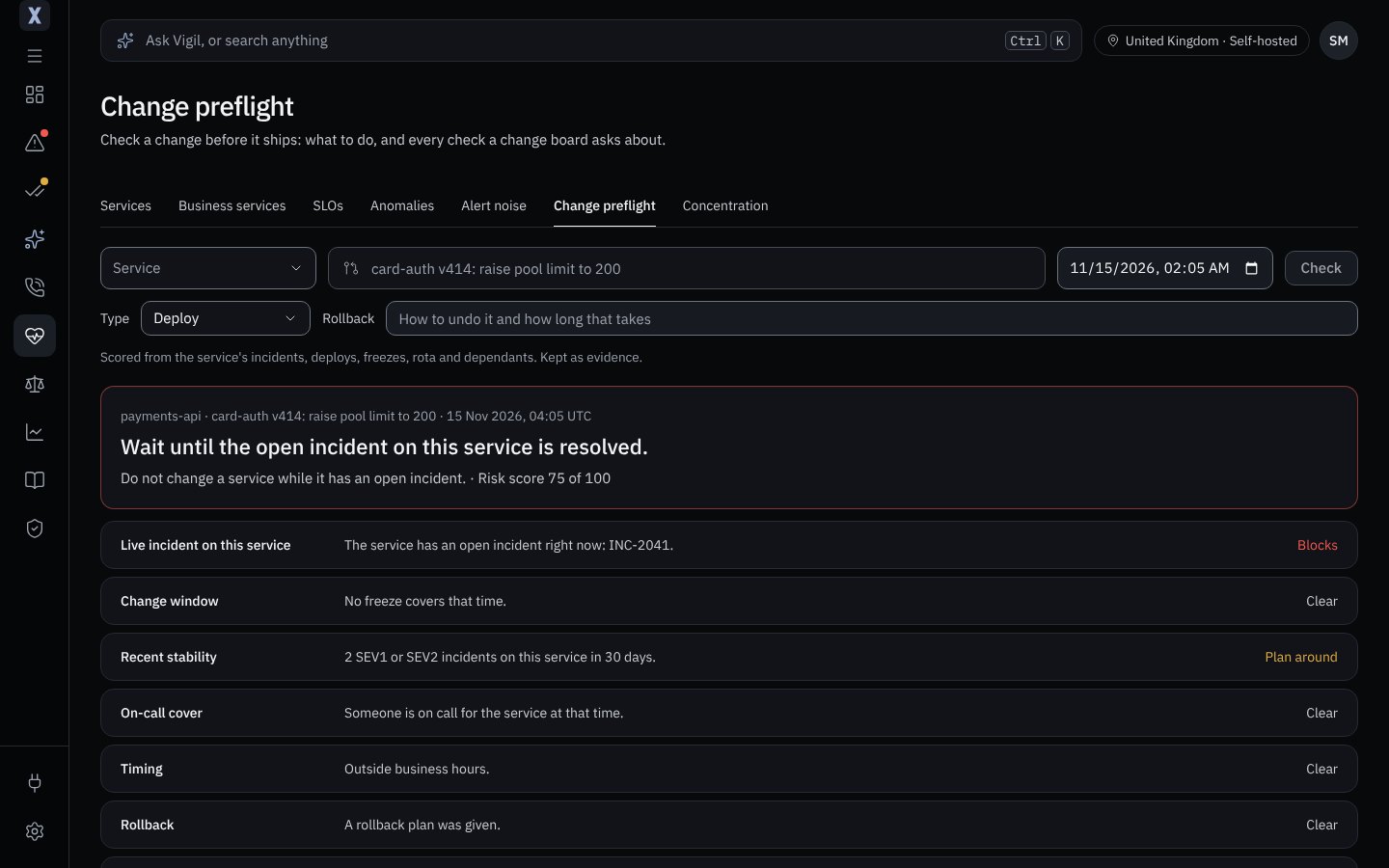
Check the change before it checks you.
Change preflight looks at every planned change: the freeze calendar, the services that depend on it, recent incidents and how far it would reach. This is the real screen.
It proves the fix worked. Or it undoes it.
After every action, Relyxus watches the metric your policy names. If it does not recover within the window, the action rolls back on its own and a person is paged.
- A metric, a threshold and a window for every action
- Automatic roll back when the fix does not hold
- A failed fix drops a level and the policy owner is told
What Relyxus can run, and how far it may go.
Every action has a ceiling built into the product. You can lower it. You cannot raise it above four eyes.
Month end, payday and peak trading are blocked automatically.
During a severity 1, an emergency policy can still allow a fix, capped at four eyes. Every action also updates the change record in your ticketing tool.
Example calendar. Coral days block changes unless an emergency policy applies.